CALCULIER
CALCULIER app icon

Golf club lie angles at a glance

Shaft length change, wrist to floor and your own preference. All at a glance. Lie calculations made simple.

Download on the App Store Email me Support & FAQ For iPhone and iPad · €4.99 · Michaelseifert@me.com
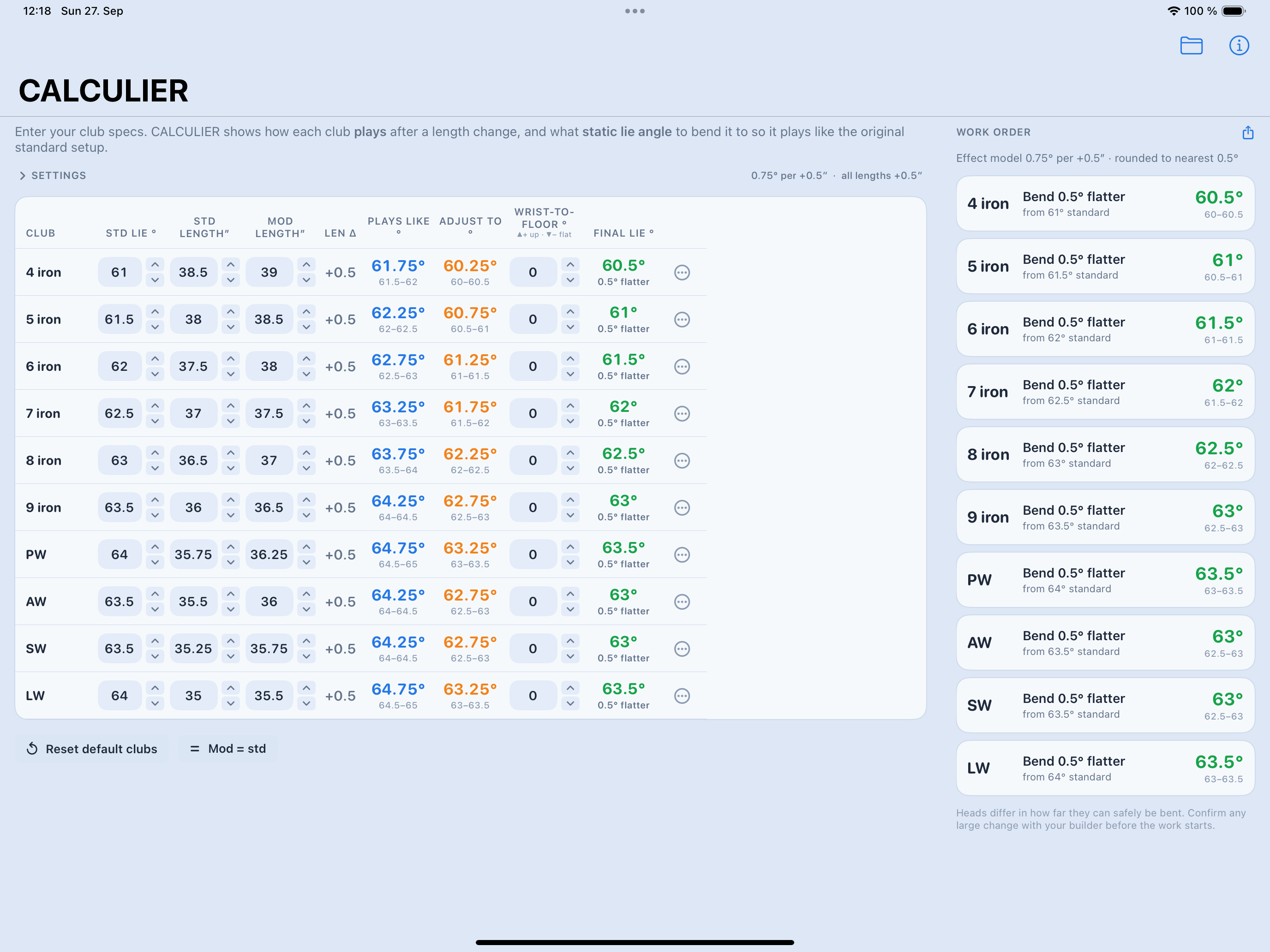
CALCULIER on iPad: the club table with Plays Like, Adjust To and Final Lie on the left, the work order with the required bends on the right.
The whole set at a glance, with the builder's list beside it.

A worked example

A 4 iron with a 61° standard lie, lengthened by half an inch, using an effect of 0.75° per half inch:

Plays like61.75°
Bend to (static)60.25°
Target for the bench60.5°

Because the real effect is a range rather than one number, CALCULIER shows the 0.5°–1.0° span beside every result — here 61.5–62° and 60–60.5°.


What's in it

The whole set

Standard lie, standard length and new length per club — and Plays Like, Adjust To and Final Lie for every row, straight away.

Your own effect model

Conservative 0.5°, middle 0.75°, strong 1.0° per half inch. Or a value of your own.

Work order

Only the clubs that actually need bending, each with direction and degrees. Share it or print it.

Set-wide changes

Shift every length, correct every standard lie, or lay a wrist-to-floor adjustment across the whole set in one go.

Saved sets

As many club sets as you like, named and reloadable. Everything stays on the device.

No account

No sign-in, no connection, no data collection. The app does its arithmetic offline.

On the phone and at the bench

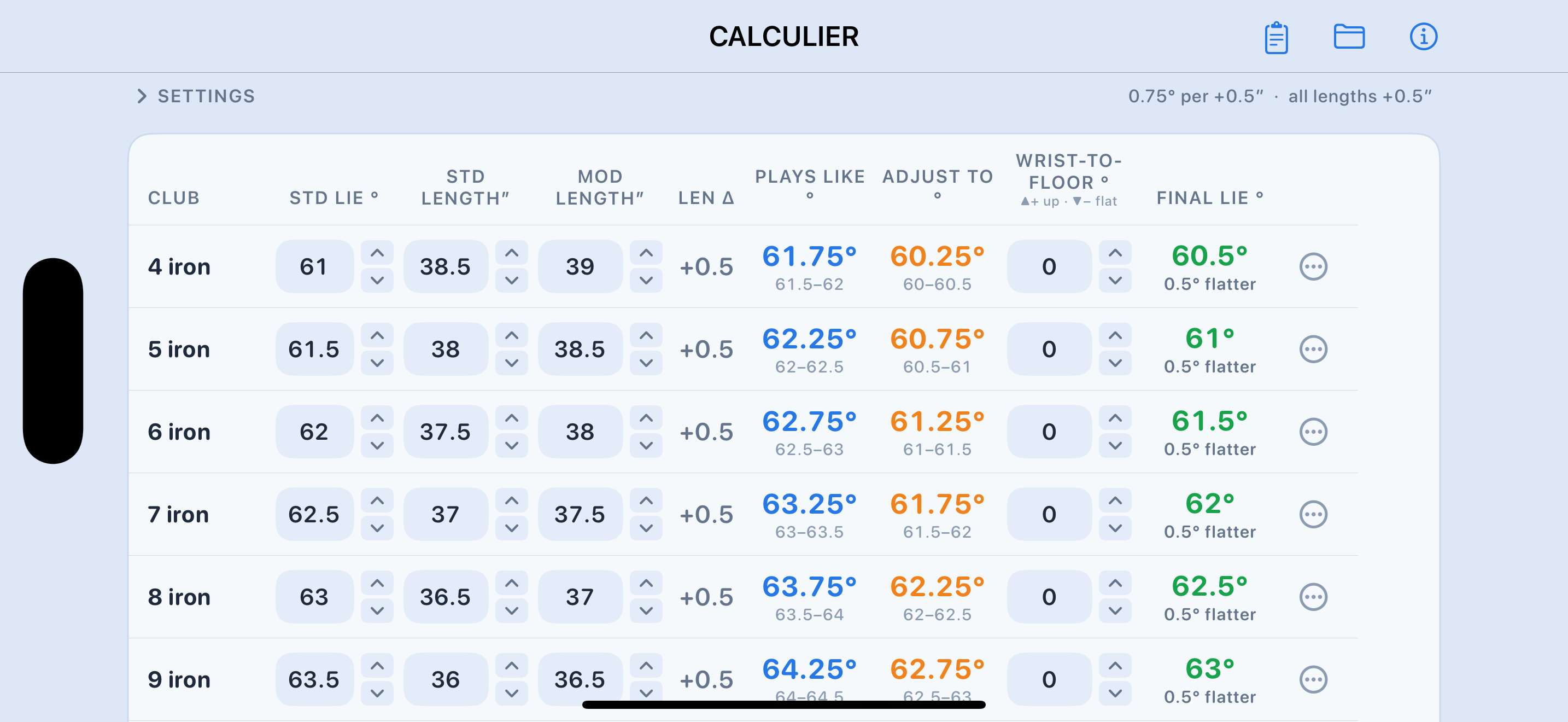
Turned sideways the iPhone shows the full table; on iPad the work order sits right beside it. Figures move in 0.25″ and 0.5° steps with the arrows, or you tap the number and type.

CALCULIER in landscape on iPhone showing the complete club table.

One honest word

Every figure CALCULIER gives you is a starting point for the conversation with your club builder, not a substitute for it. Not every head takes every bend — cast heads far less than forged ones. Ask before the work starts.